Apple HomeView arrives on 13 November, but my fascination with smart home dashboards started long before Apple's latest announcement. Between a clever little iPad app and building a couple of my own, I've been thinking about what the perfect connected home should actually look like.
I've got a confession to make. I'm probably more excited about Apple's new HomeView than I have been about quite a few recent iPhone launches. On Friday 13 November, Apple's new smart home display finally arrives in the UK, and I'm already looking forward to visiting the Apple Store and, quite possibly, coming home £299 lighter.
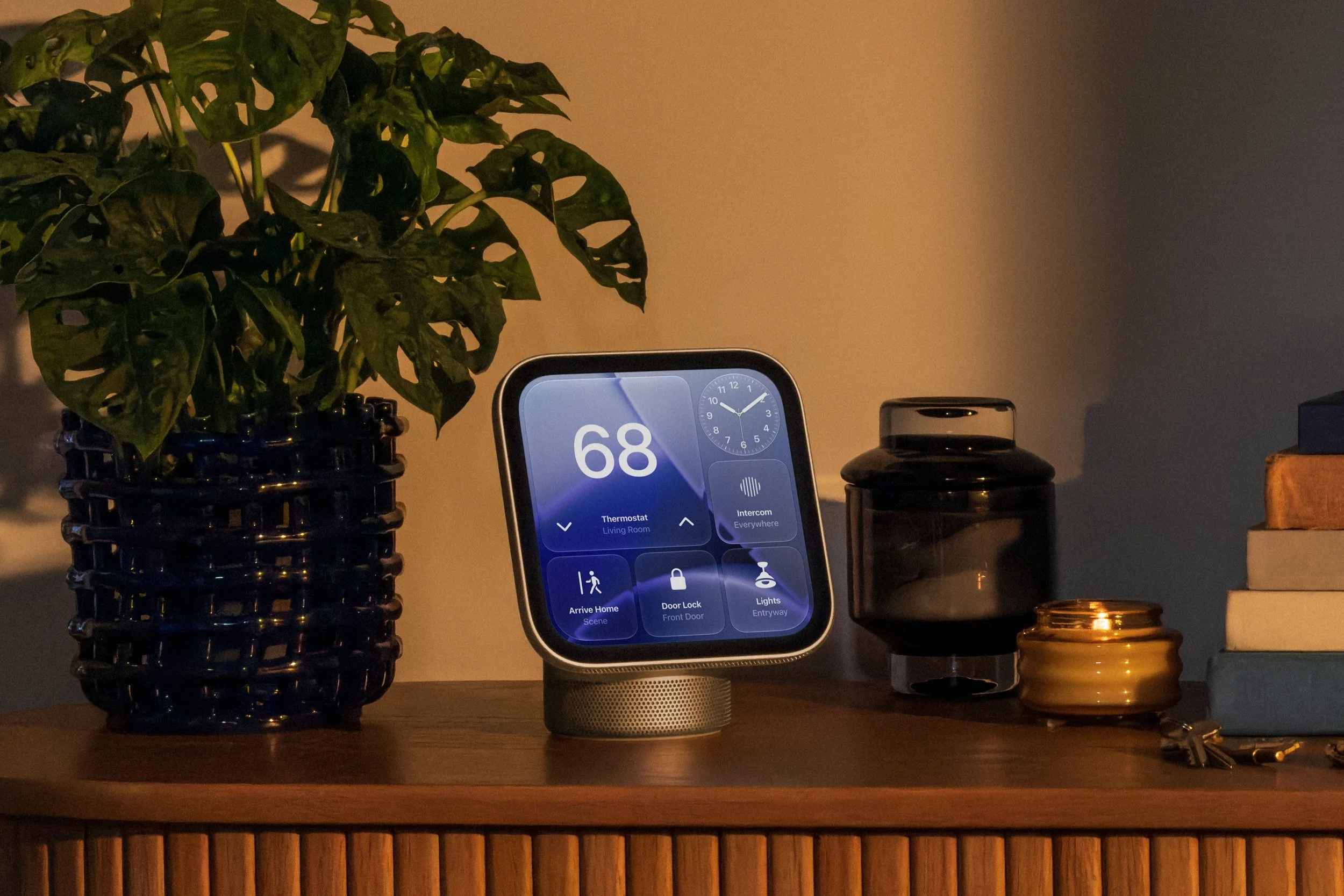
Apple's new HomeView brings smart home controls and information to a dedicated display.
The funny thing is, I'm excited about spending money on another screen when my entire philosophy around the smart home is that we should be interacting with technology less, not more.
I've always believed that a genuinely smart home should largely look after itself. If you're doing something more than twice a day, or four times a week, there's probably an opportunity to automate it. Whether that's lighting, heating, music or something as simple as turning off a collection of devices when everyone leaves the house, technology should quietly take care of the repetitive stuff.
The last thing I want is to replace a perfectly ordinary light switch with a complicated touchscreen that requires three taps and an internet connection to achieve the same result. Yet, despite that philosophy, I've spent a considerable amount of time experimenting with smart home dashboards. And that's precisely why HomeView has caught my attention.
More Than Just Another Screen
When Apple announced HomeView in October, the hardware immediately appealed to me. A seven-inch Liquid Retina display, an elegant aluminium design, an integrated speaker and a choice between tabletop and wall-mounted models. It looks like something Apple should have made years ago. But the clever part isn't necessarily the hardware. It's the idea that this screen can become a natural part of the household rather than another device constantly demanding attention.
HomeView promises to recognise different members of the household, display personalised information and provide quick access to cameras, lighting, music and other connected devices. Apple's new Siri AI also promises considerably more natural interactions, potentially making the familiar experience of repeatedly shouting instructions across a room a thing of the past.
Of course, we've heard plenty of promises about intelligent voice assistants before. I'll be interested to see whether Siri can actually deliver when faced with the unpredictable demands of an ordinary household. What really appeals to me, though, is having useful information available at a glance. The weather, upcoming appointments, which lights are on, who's at the front door and perhaps a little music playing in the background. Nothing particularly revolutionary, but all presented in one sensible place.
The iPad Has Been Trying to Do This for Years
Apple isn't the first company to explore the idea of a dedicated home dashboard, and plenty of people have been repurposing older iPads for exactly this job.
One application that recently caught my attention is HomePad by Stephen Robles, a free app designed to turn an iPad into a rather attractive HomeKit control panel.

HomePad takes the devices already configured in Apple's Home app and presents them as customisable tiles. You can arrange lights, thermostats, scenes, locks and live security cameras across multiple screens, changing their sizes and positions to suit your home.
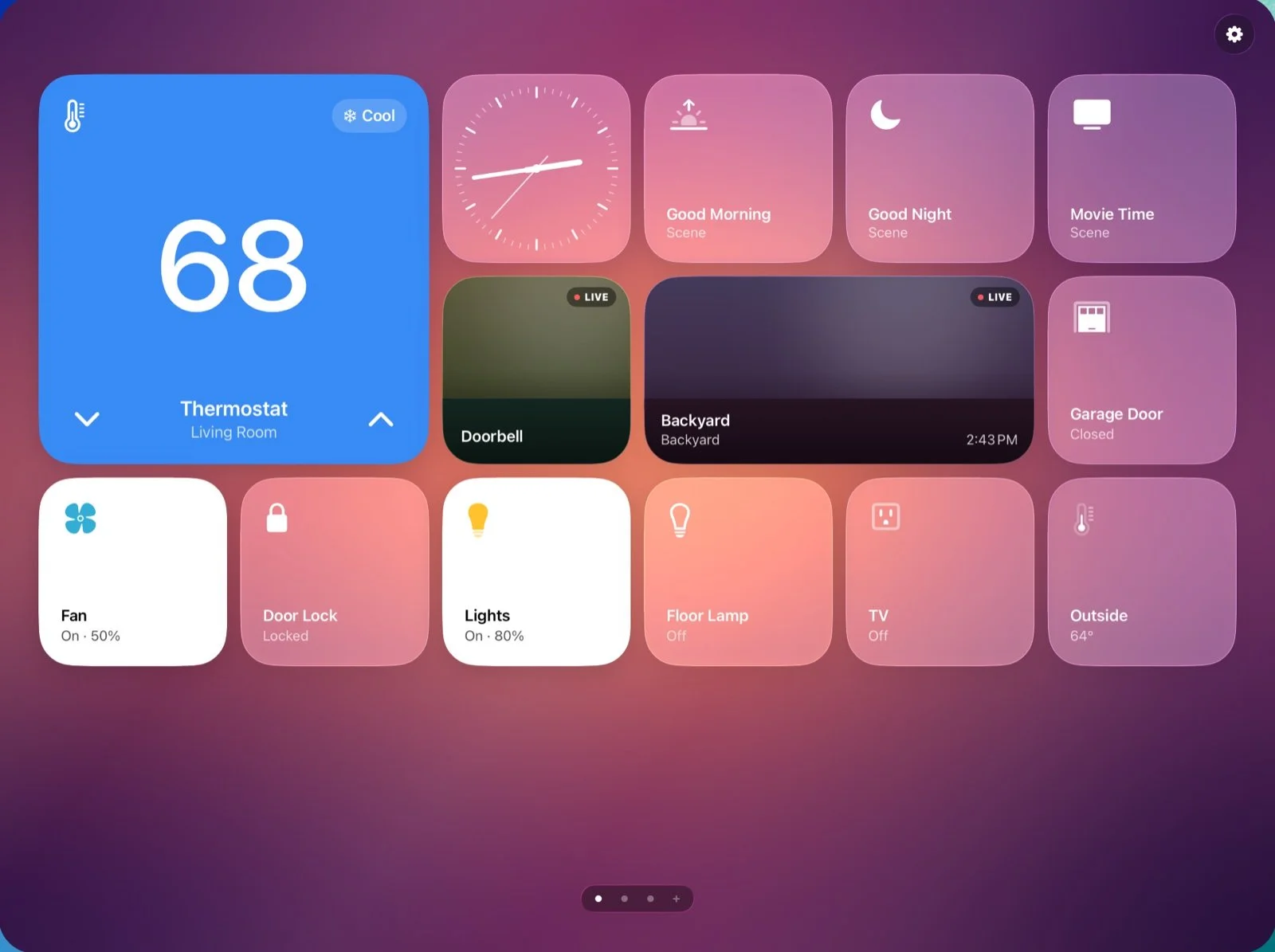
HomePad by Stephen Robles turns an iPad into a customisable HomeKit dashboard. Image: Stephen Robles.
It's a beautifully straightforward idea, particularly for anyone with a spare iPad sitting in a drawer. Rather than buying another piece of hardware, you can give something you already own a new purpose.
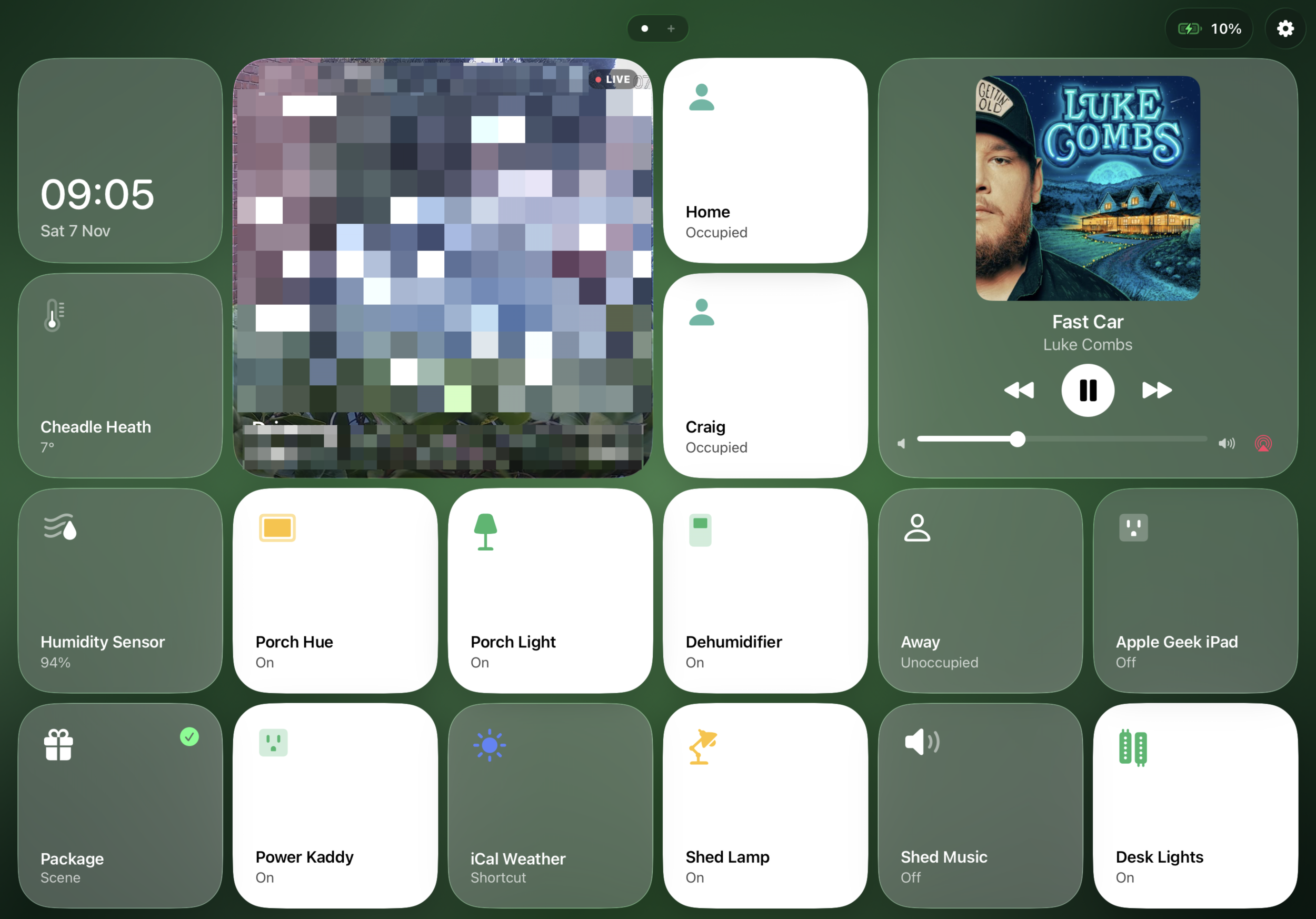
There is one slight problem, however. HomePad requires iPadOS 26 or later, which rules out the older iPad I've been using for this very purpose. Currently running iPadOS 17, with Apple's Home app providing a basic smart home dashboard, the device has reached the end of the road when it comes to major software updates. It's a shame, really, because the hardware is still perfectly capable of doing the job.
Fortunately, HomePad works beautifully on my 11-inch iPad Pro, particularly while I'm working. Having my smart home controls, cameras and other useful information available at a glance, without constantly switching between apps, is genuinely handy. It's one of those applications that makes you appreciate just how useful an iPad can be when it's given a dedicated purpose.
I particularly like the developer's approach to keeping things simple, presenting useful information without overcomplicating the controls. It's very much the same philosophy I've been following with my own experiments, which brings me rather neatly to HomeDeck, something I've been working on myself.
Building My Own Home Dashboard
Over recent weeks, I've been developing an iPad application I've been calling HomeDeck. The idea was fairly simple: create a customisable dashboard that brings together the bits of my connected home that I actually want to see.
What started as an experiment has gradually developed into something surprisingly useful. I've been testing it on an older iPad running iPadOS 17, which presents a few interesting challenges of its own. The dashboard includes HomeKit accessories, cameras, scenes, weather information, network details and even Apple Music.
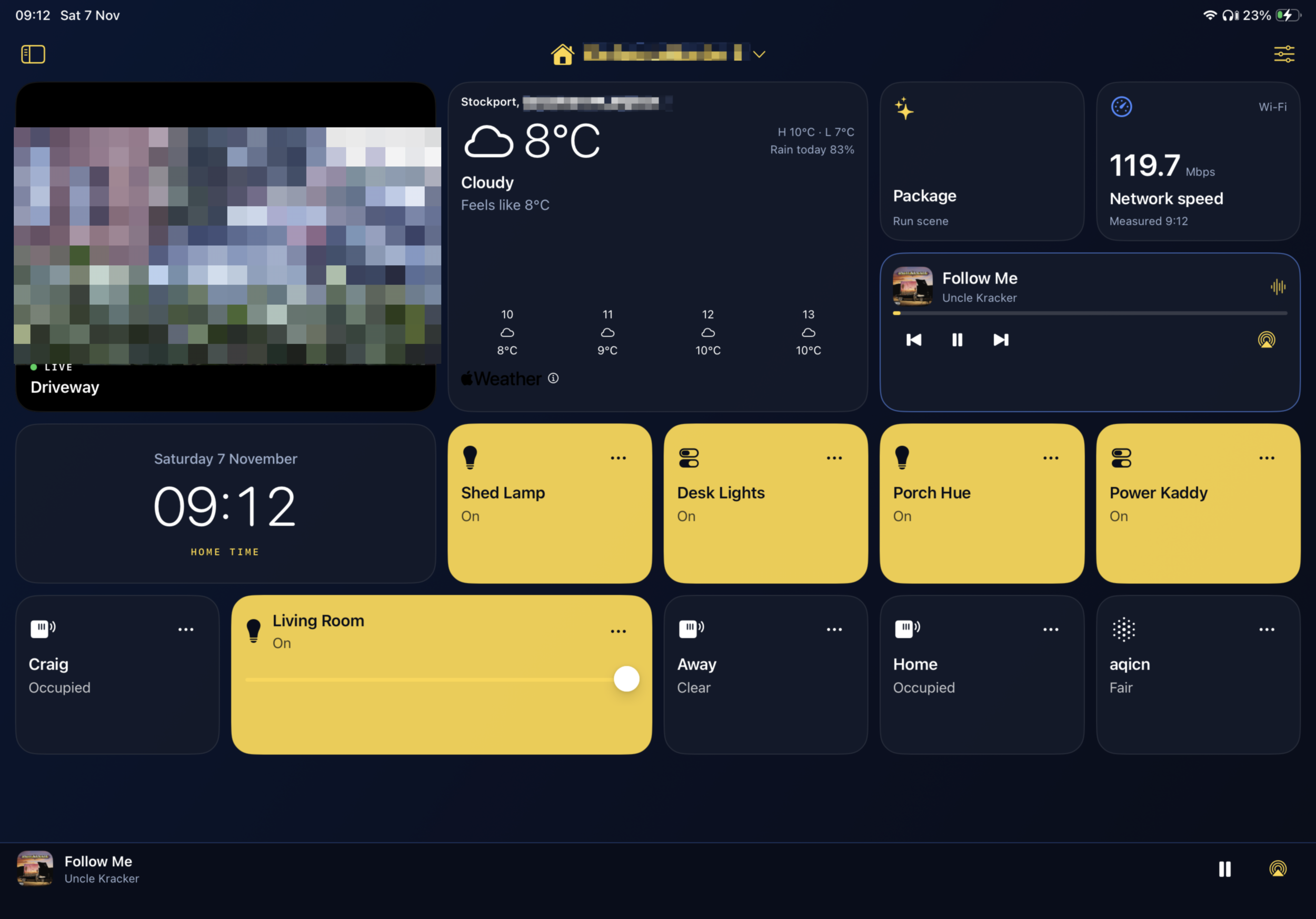
Getting Apple Music and AirPlay working properly was particularly satisfying. Being able to control what is playing, choose where the audio goes and then return to the rest of the dashboard makes the whole thing feel considerably more useful than simply having a collection of buttons on a screen.
It hasn't all been plain sailing. I've encountered problems with touch input, weather updates and some of the finer details of the interface. There are still features I want to improve, including a proper full-screen dashboard mode, better control over the arrangement of tiles and choosing which HomeKit home appears by default..
But that's part of the fun of building something yourself. You discover what actually matters through using it, rather than simply deciding which features look impressive on a product page. Interestingly, developing HomeDeck has also changed how I think about Apple's upcoming HomeView. I'm no longer looking at it purely as another piece of Apple hardware. I'm looking at it as a potential solution to many of the problems I've been attempting to solve myself.
And because apparently building one smart home dashboard wasn't enough, I've also been working on ShedDeck, a spin-off designed for my new garden workshop and seating area.
ShedDeck takes the same basic idea as HomeDeck but concentrates on one particular space. Running on an ageing 9.7-inch iPad Pro with iPadOS 16, it brings together the shed doors, parcel box, security camera, weather, equipment and Apple Music, including radio stations and playlists. Everything fits neatly onto a single landscape screen, without endless scrolling or complicated menus. The shed itself is still in the planning stages, but the dashboard is already taking shape, and it's been surprisingly satisfying giving an older iPad a completely new purpose.
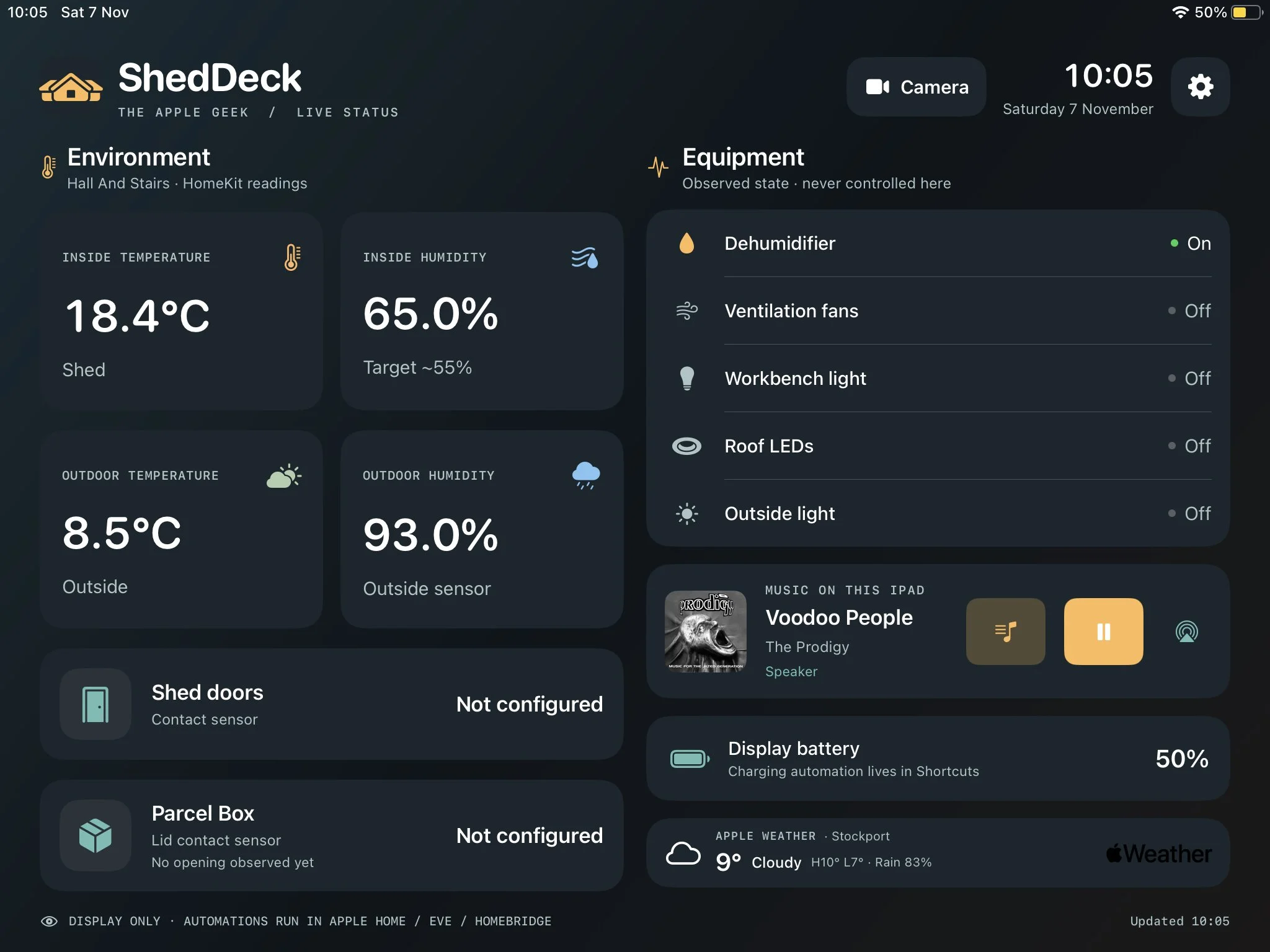
It's also made me realise that there probably isn't one perfect smart home dashboard for every situation. What works in the living room might be completely unnecessary in a garden shed or workshop, and that's something I'll be interested to explore when HomeView arrives.
The smart shed itself is also going to become something of an ongoing project here on The Apple Geek. Over the coming months, I'll be documenting the journey from an ordinary garden shed to a fully connected little workshop, complete with smart lighting, security, environmental monitoring and a few other ideas I'm keeping under wraps for now. There are already plans for some interesting automation, a dedicated network connection and ways of making the space both practical and a little bit geeky. Some of it will undoubtedly work brilliantly, some of it probably won't, but that's half the fun of experimenting. I'll be sharing the successes, the inevitable mistakes and everything I learn along the way in a future Smart Shed blog series.
Friday the 13th Can't Come Soon Enough
At £299, HomeView isn't an inexpensive replacement for an old iPad, and I don't think it necessarily needs to be.
An iPad running HomePad or HomeDeck offers flexibility and customisation that a dedicated household appliance might never match. Apple's advantage could be in providing something more integrated, more approachable and easier for everyone in the house to use. There are plenty of questions I want answered. How useful is HomeView when you're not actively touching it? How reliable is the new Siri? Can it make checking cameras, controlling music and managing daily routines feel effortless? And, perhaps most importantly, will it genuinely improve the way my home works?
I'm hoping to get my hands on one when it launches on 13 November. Rather than rushing out an immediate review, I'd like to spend some proper time living with it, comparing it with my existing setup and seeing whether Apple's vision of the connected home matches my own. Because ultimately, the best smart home isn't necessarily the one with the most devices, the biggest screens or the most elaborate automations. It's the one that quietly gets on with things, leaving you free to get on with your day.
If HomeView can help make that a reality, I suspect that £299 might be money rather well spent.