Lesson Logger : From Forgotten Golf Lessons to an App in My Pocket
You can spend good money on golf coaching, but remembering everything you've been taught is another matter entirely.
We've all been there. You have a brilliant lesson, the coach spots something in your swing, a few adjustments later you're striking the ball beautifully, and you leave convinced you've finally cracked golf.
Three days later you're standing on the driving range wondering exactly what it was you were supposed to be doing.
Was it the takeaway? Clubface? Shoulder rotation?
And where did I put those notes?
That, in a nutshell, is why Lesson Logger exists.
The Problem With Golf Lessons
I've always believed that getting proper coaching is one of the best investments you can make in your golf. The difficulty is making sure those lessons translate into improvements on the course.
During a typical session, there's an awful lot of information to take in. Your coach might identify several issues, introduce a new feeling or movement, and give you something specific to practise before the next appointment.
Some golfers record videos, others scribble notes into their phones, while the more organised probably have an actual notebook.
I was collecting information, but I wanted a better way of organising it.
I'd already been developing ForeThought, my macOS golf journal, which had become the central place for everything connected with my game.
But taking a MacBook to a coaching session isn't particularly practical. What I needed was a smaller companion application that could live on my iPhone.
And so Lesson Logger was born.
The Original Idea Was Simple
Lesson Logger initially had one job: record the useful information from a golf lesson before I forgot it. Open the application, create a lesson, select the coach and location, choose the areas of the game covered, and enter the key takeaways.
No unnecessary complications.
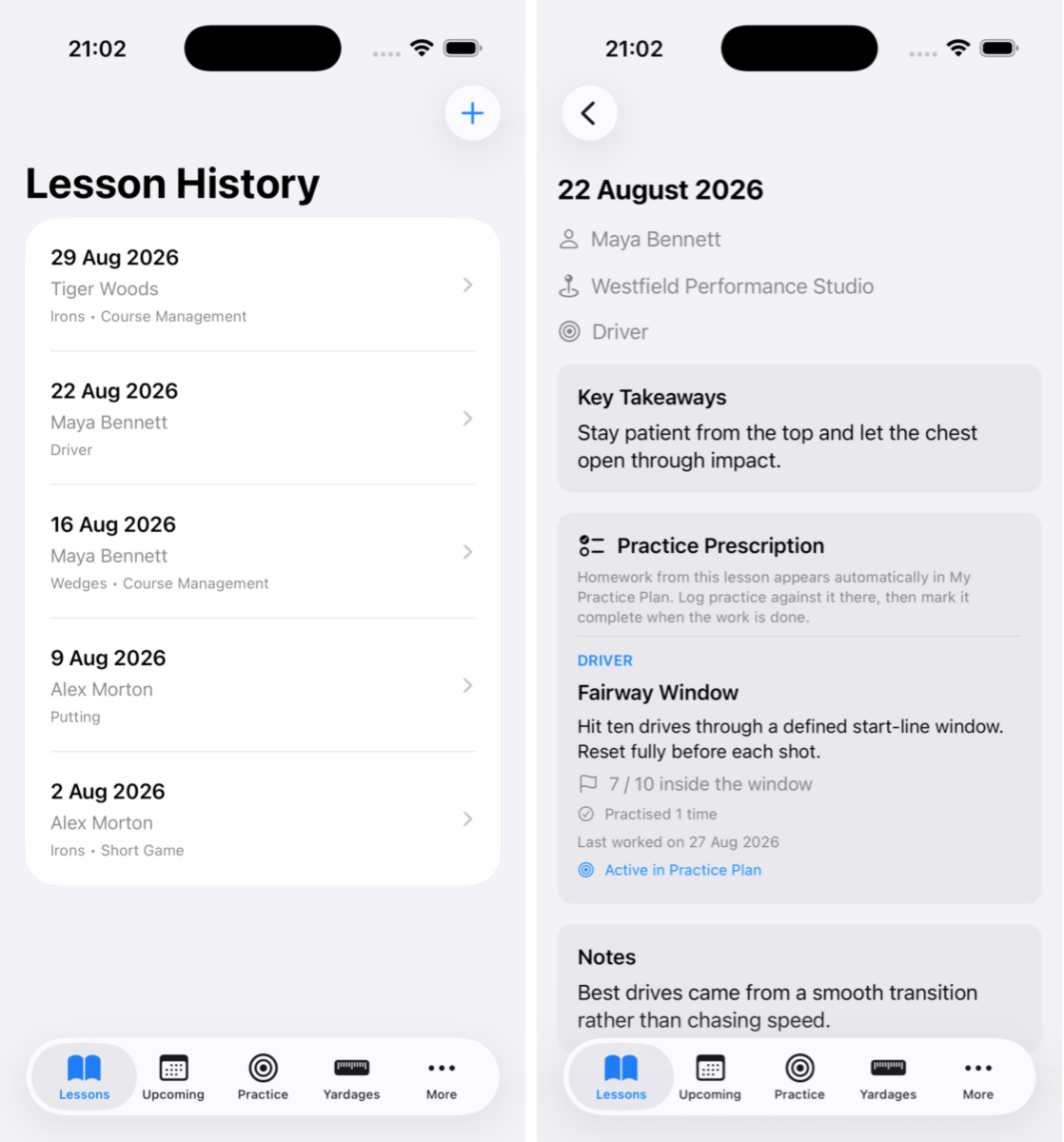
I also added an upcoming lessons section, because keeping track of coaching appointments was another little job that deserved its own place. You can plan a future lesson, add the appointment to your calendar and convert it into a completed lesson afterwards.
It sounds like a small feature, but it's one of those things that makes everyday life easier.
The application also grew to include practice history, saved golf locations and a yardage book containing distances for the clubs in your bag. Suddenly I had the information I actually needed at the driving range without having to dig through notes, spreadsheets or screenshots.
Turning Coaching Into Practice
As the application developed, I realised that simply recording what a coach said wasn't enough. The missing link was turning those instructions into actual practice.
Lesson Logger now has Practice Prescriptions and My Practice Plan.
Your coach tells you to work on a particular movement or drill, so you record it against the lesson and add it to your practice plan. When you head to the range, you've got a clear reminder of what you're supposed to be doing.
You can record practice against individual prescriptions, monitor how frequently you've worked on them and mark exercises complete.
If something needs revisiting, you can reopen it. It's not revolutionary technology, but it's a considerably better system than trying to remember what somebody told you three weeks earlier.
Guided Practice and Fitness
Version 2.0 brought a much bigger collection of features.
Guided Practice allows structured ForeThought practice programmes to be imported, with individual sessions and drills that can be followed step by step.
You record what you've completed, where you practised and how it went. There's also Guided Fitness, with programmes covering mobility, activation, warm-ups and other golf-related exercises.
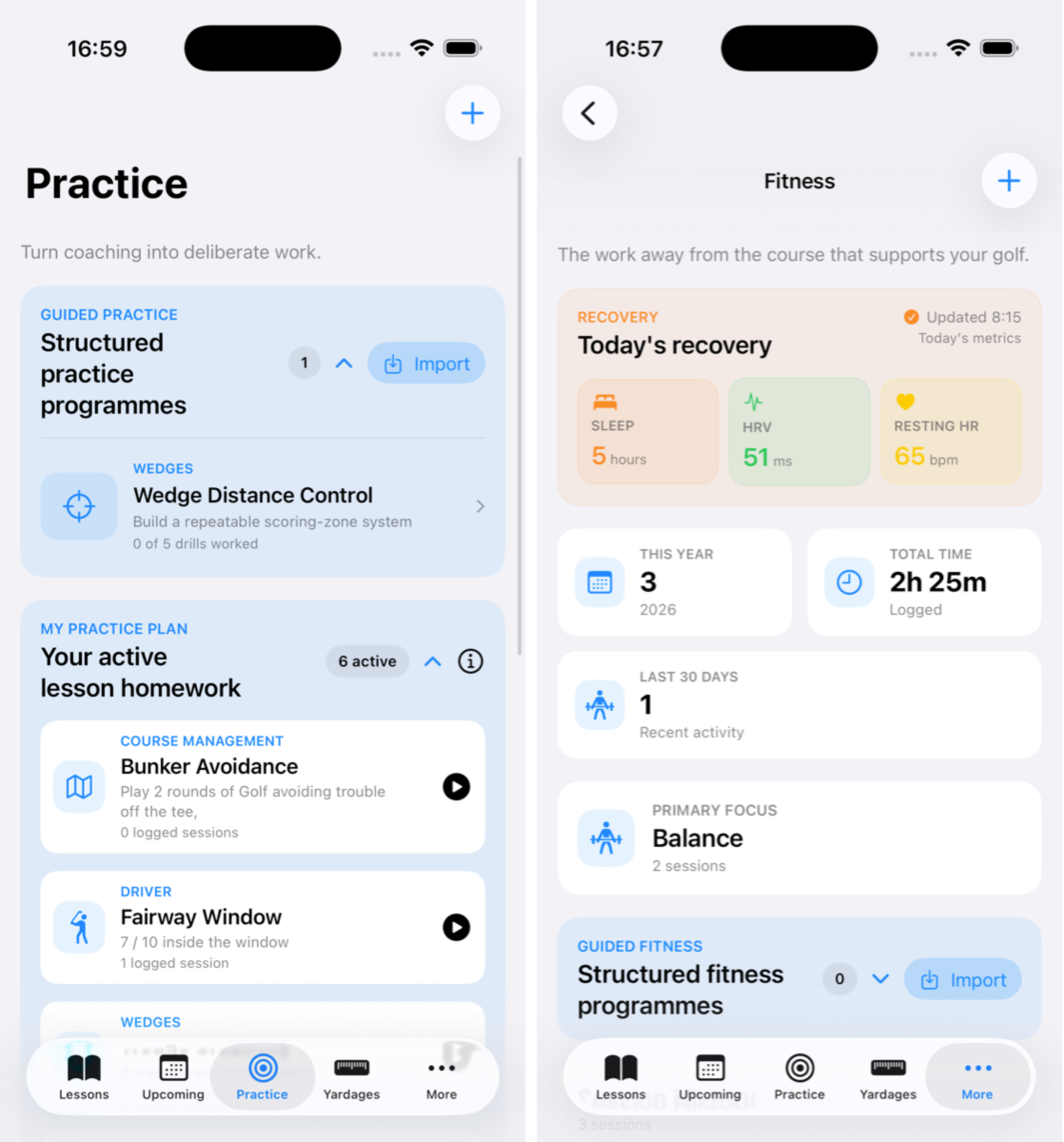
Fitness sessions can be logged separately, whether that's strength training, cardio, yoga, recovery work or even padel.
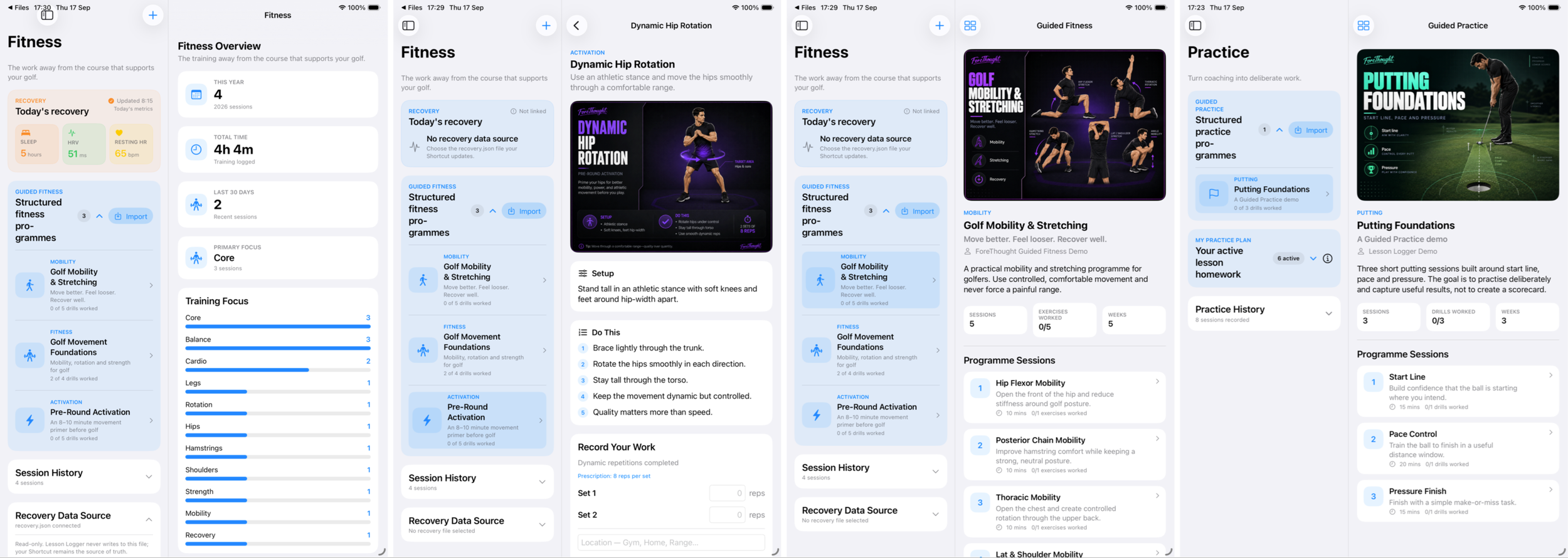
Recovery information can be read from a compatible JSON file, displaying sleep, heart rate variability and resting heart rate alongside the fitness history. Importantly, Lesson Logger doesn't need direct access to Apple Health to do this.
Bringing Something Useful to Your Coach
Another feature I'm particularly pleased with is the pre-lesson assessment system. Rather than trying to remember how you've been driving the ball, you can record actual patterns during a round.
The Driver and GIR assessments capture things like fairways, missed greens and penalties using quick inputs.
It's deliberately not a complete scoring application. The idea is to collect enough information to identify what might need attention during your next lesson.
Lesson Logger also includes a Coach Overview and PDF reporting, allowing completed programmes and assessment information to be collected into something you can actually share. That seems far more useful than telling your coach that the driver has been 'a bit rubbish lately'.
Your Data, Your Choice
One aspect I'm particularly keen on is the way Lesson Logger stores information.
Rather than hiding everything inside a closed system, the application uses a portable JSON file that can be kept in supported cloud storage, including iCloud Drive or Google Drive.
This also makes it possible for ForeThought on the Mac to import lesson and practice information.
I've been developing an Android version too, because an application designed to help golfers shouldn't necessarily care which phone they're carrying. The iPhone and iPad versions have developed considerably, particularly with the larger layouts and guided programmes introduced in version 2.0.
What Comes Next?
Lesson Logger has evolved from a digital notebook into a genuinely useful coaching and practice companion. There's still more to do, especially around making the connection between ForeThought, Android and the wider training ecosystem as seamless as possible.
But I keep coming back to the problem that started everything.
A golf lesson is only valuable if you remember what you've learned and actually put the work in afterwards. Lesson Logger won't suddenly give you a tour-professional golf swing.
Unfortunately, I haven't worked out how to program that particular feature.
What it will do is make sure the useful information from your coaching doesn't disappear between lesson, and for a golfer constantly trying to improve, that's a pretty good place to start.
Find out more at LessonLogger.