If you’ve found this page, you’ve either missed spelt something really badly or I've given you a link 🤣. So ForeThought my Golf Performance Hub app, built for MacOS 13 (Ventura) and newer, to give it a phrase a “retrospective golf data gathering tool” - for me the idea was to sit down away from my phone and input the data with a brew and a packet of biscuits.
ForeThought

I’ve built a MacOS app instead of a mobile app to keep me present on the course whilst playing, over the past 12 months I've tried 6 or more different golf mobile apps to log information about rounds and collect data with the idea of improvement. I found myself distracted whilst playing or other notifications drawing my attention away from the golf, plus my playing partners are just seeing someone looking at a phone all the time.
The apps all did a good job and have their place but where do I log practice sessions? What did the Pro say in the last lesson where do I log that.
“Bags” have 14 club hard limit and I seemed to have more than that, and build different setups for different courses or rounds. Where do I log information about the clubs, the internet is full of specs, when the clubs are new then it slowly dies away and you’re picking up snippets from old forum posts. How old is a club, when did I last change the grips etc etc
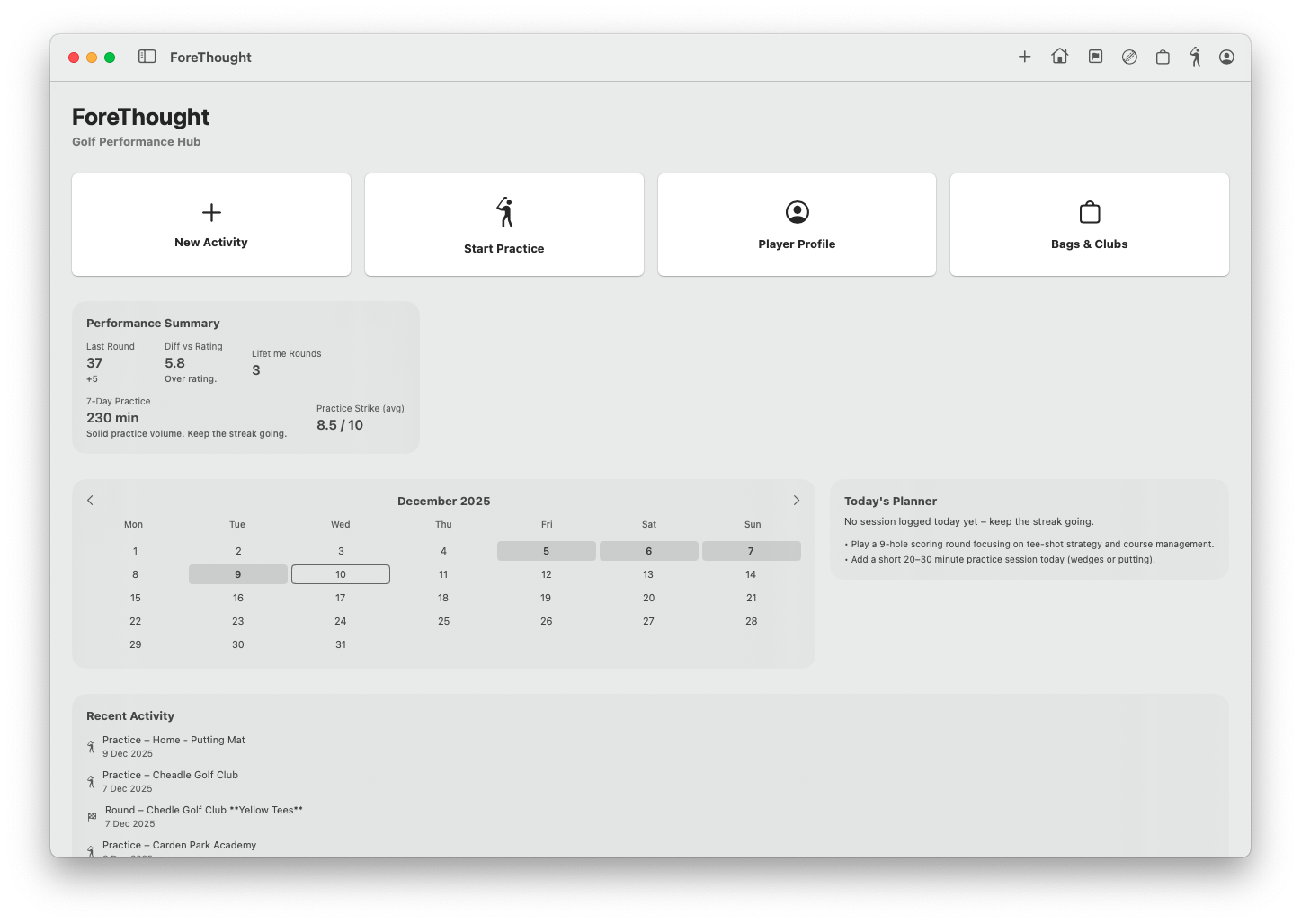
So my original idea (a spreadsheet) and where we are now with ForeThought are two different things, its become a bit of a monster and too good for me to just use on my own, the app has the following features
Player Profile with handicap tracking
Round / Competition and Course logs
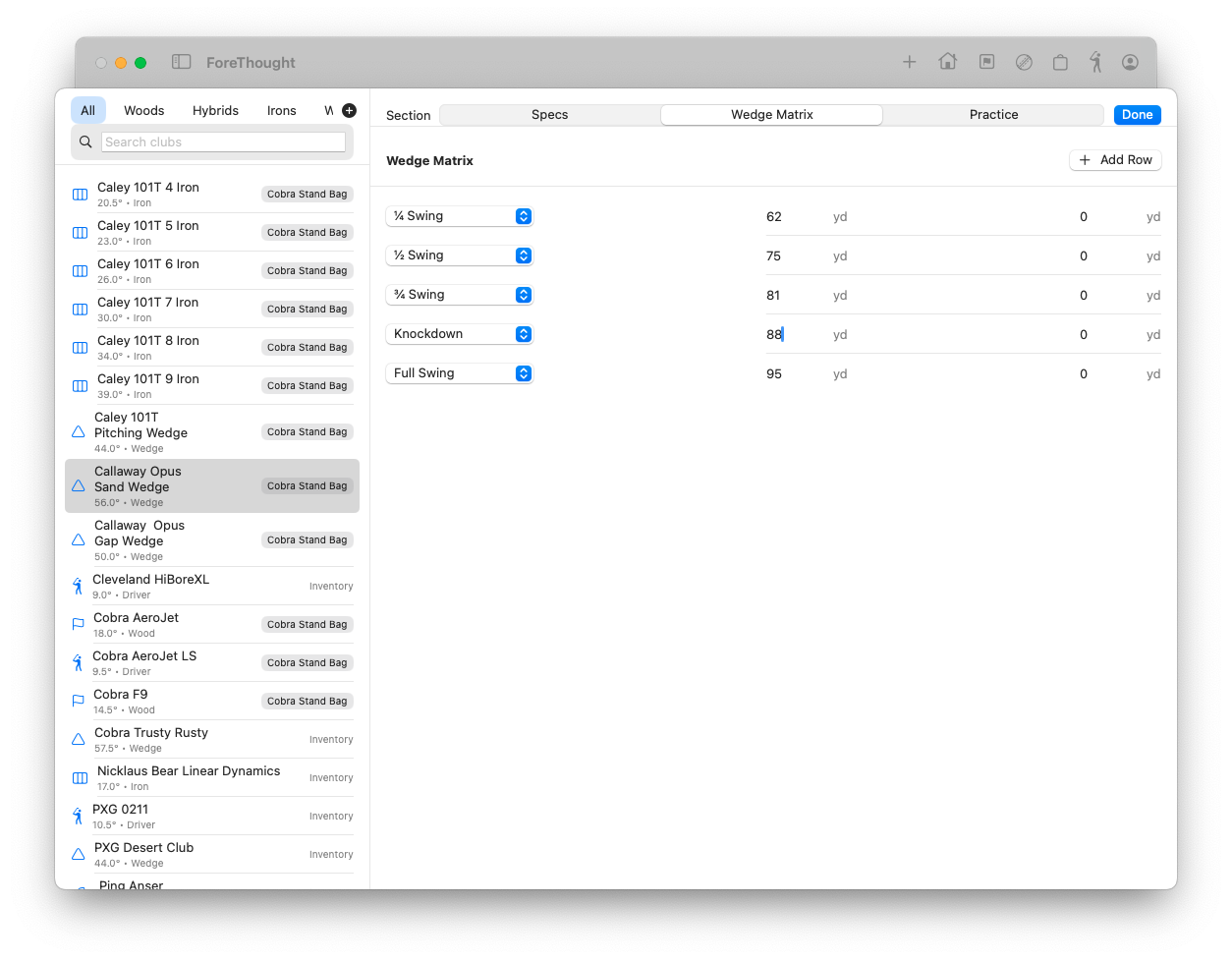
Club inventory with different bags (Gapping Chart and Wedge Matrix)
Lesson logs
Practice logs
Ball data logs - Make / Model and notes, saved against rounds.
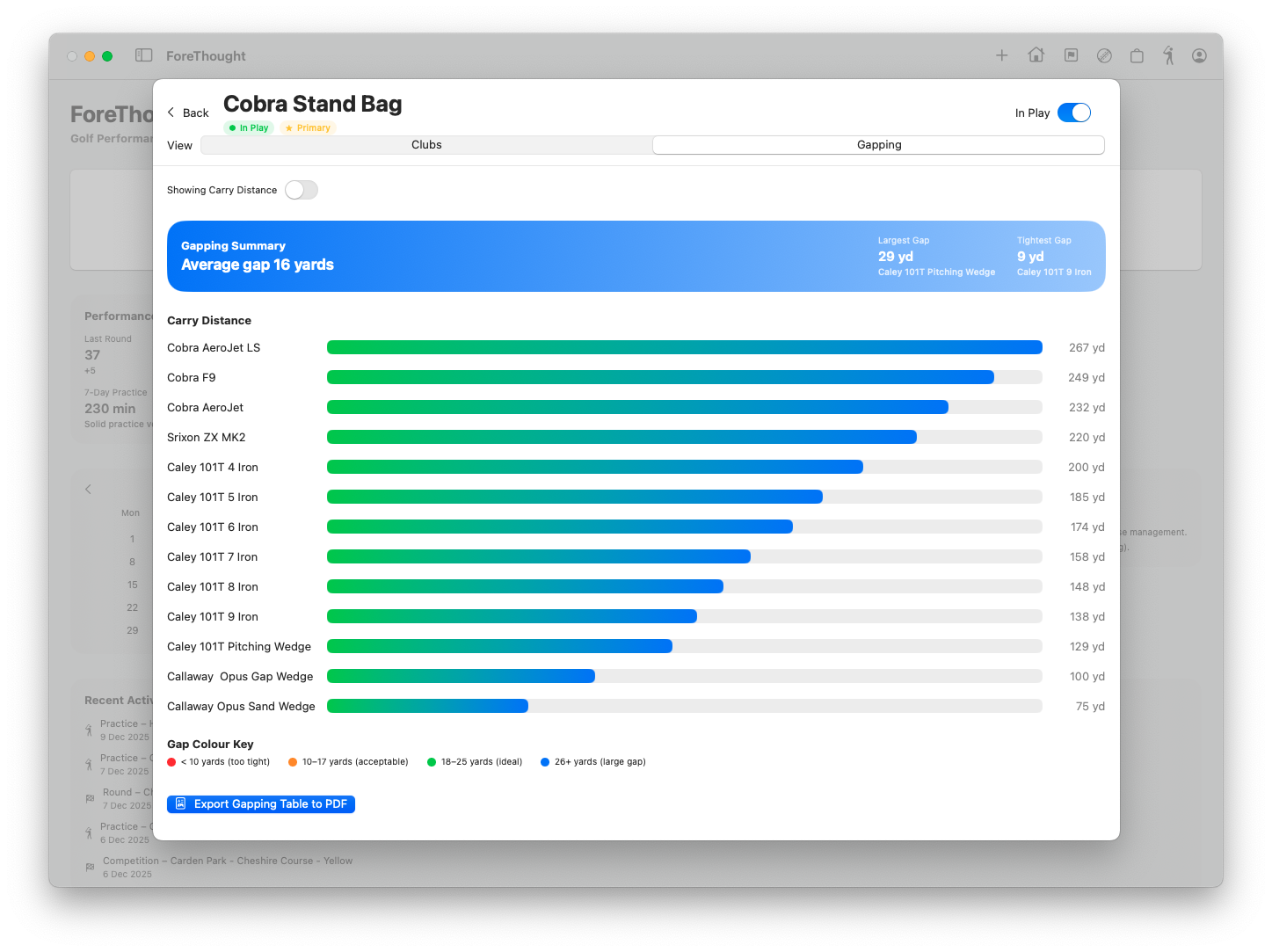
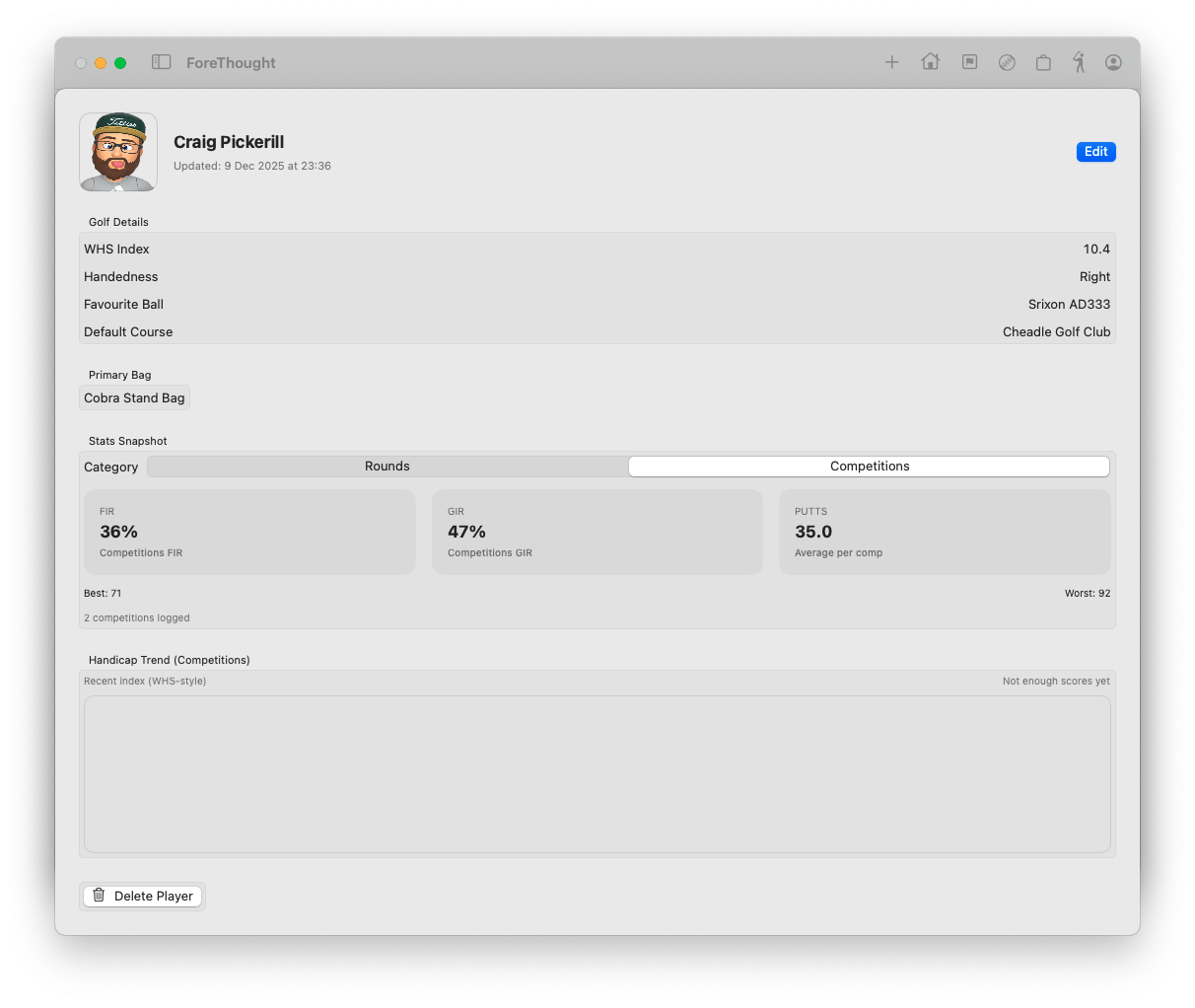
Create a gapping chart from all the range and practice sessions, carry and total numbers. Identify if two clubs are going the same distance or it just feels like it.
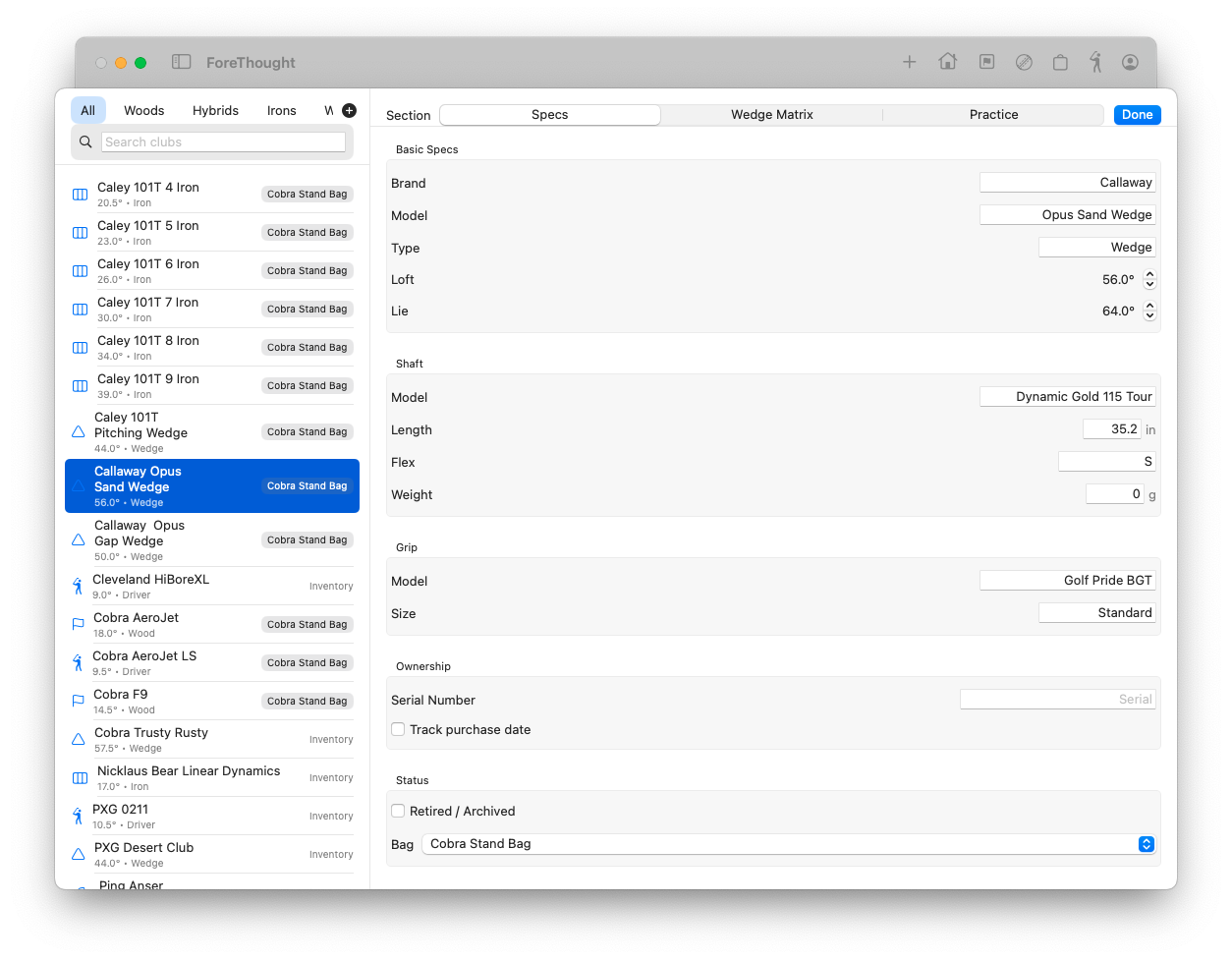
Player profile page, knock about ‘rounds’ and competition stats. Putts, FIR and GIR. Handicap trend graphs
First-Time Launch (Important)
Because the app is not from the App Store, macOS may block it the first time.
To allow it:
1. Go to System Settings → Privacy & Security.
2. Scroll down to find the message saying ForeThought was blocked. 3. Click “Allow Anyway”.
4. Open the app again – macOS will ask once more – click Open.
Using iCloud Storage
ForeThought stores its data inside: Its yours and never leaves iCloud.
iCloud Drive → ForeThoughtData
This enables syncing and safe backups automatically. If you don’t have iCloud set up, ForeThough will default to saving locally to the hard drive.
Spotted a bug or glitch? Or have an improvement idea (I'm all ears) forethought@theapplegeek.co.uk