iSkitch: Bringing a Classic Mac Favourite Back to Life
If you've been using a Mac for any length of time, there's a good chance you'll remember Skitch. It was one of those wonderfully simple applications that did exactly what you needed without making a fuss about it. Capture a screenshot, draw a few arrows, add some text and share it. Job done.
Although macOS has developed its own capable screenshot tools over the years, there's still something appealing about having a dedicated application for capturing and annotating images.
That's exactly what independent developer David Carrero has been working on with iSkitch, a modern interpretation of the classic screenshot utility, built specifically for macOS.
And judging by the pace of development, he's clearly not standing still.
A Familiar Experience for Modern Macs
At its heart, iSkitch is designed to make working with screenshots as straightforward as possible.
The application sits quietly in your Mac's menu bar until it's needed. Press Option-Command-4, select an area of the screen, and your screenshot opens directly in the editor, ready for annotation.
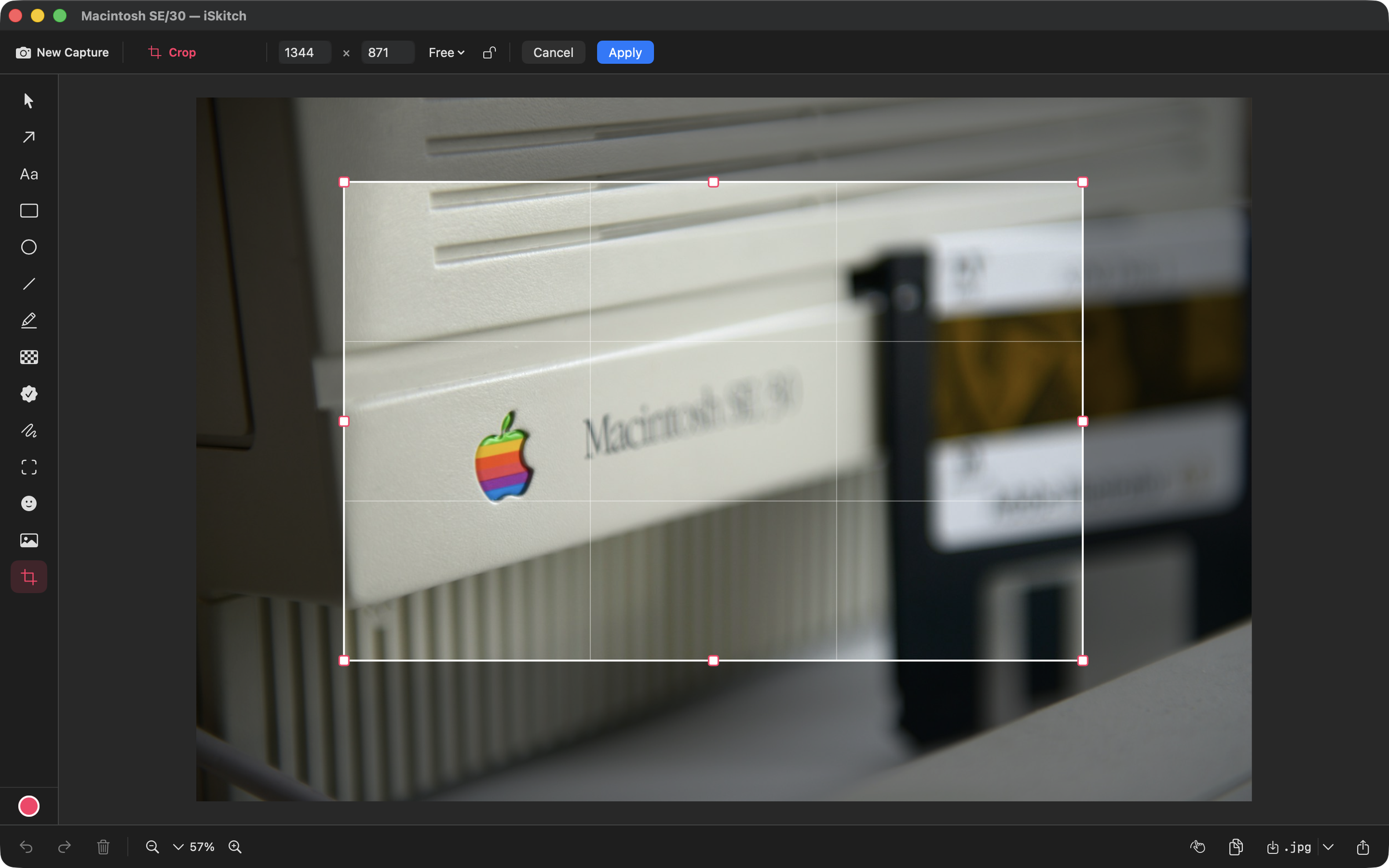
You can capture individual windows or entire screens too, and there are configurable keyboard shortcuts for different capture modes.
Unlike some modern desktop applications, iSkitch is built using Apple's native SwiftUI and AppKit frameworks rather than Electron. That gives it a familiar macOS interface, while supporting both Intel and Apple Silicon Macs running macOS Sonoma or later.
The editor provides 14 annotation tools, including arrows, shapes, text, numbered stamps, highlighting, freehand drawing and options for obscuring information.
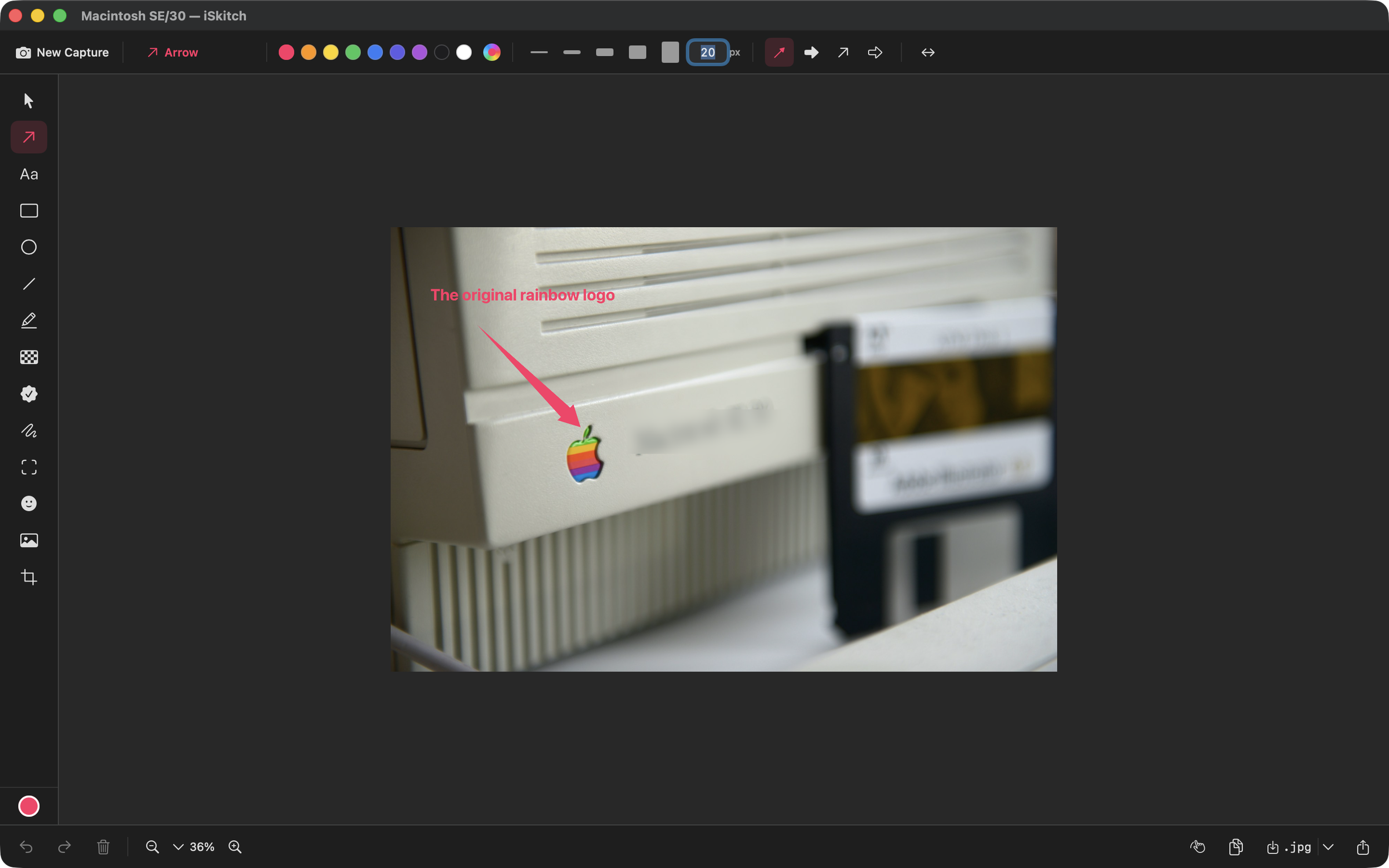
For somebody who regularly creates tutorials, documentation or screenshots explaining how something works, that's a useful collection of tools to have immediately available.
It's the Little Improvements That Matter
What's particularly interesting about iSkitch isn't just what it does, but how quickly it's evolving.
When the application was first introduced to The Apple Geek in September, it was already a capable screenshot utility. Since then, David has continued improving the experience, incorporating feedback from users who remember the original Skitch.
Version 1.8.1 introduced sharper captures on Retina and scaled displays, addressing situations where screenshots weren't being captured at their expected resolution.
It also brought the ability to create a new annotation directly from an image already sitting on the clipboard.
September's 1.9 release added WebP export, improved cropping precision and more control over image quality when saving files.
That might not sound particularly exciting, but when you're regularly producing screenshots for websites, documentation or support emails, getting the right dimensions and file sizes can make a noticeable difference.
Taking Control of the Screenshot
October brought another collection of useful refinements.
Version 1.10 introduced an optional adjustable selection mode. Rather than capturing an area immediately after releasing the mouse, you can reposition and resize the selection using eight handles before taking the screenshot.
It's a small detail, but potentially very handy when trying to capture a particular moment in a video or getting the boundaries of a screenshot just right.
The latest 1.10.1 release also addresses another familiar annoyance: iSkitch now hides its own windows while capturing, preventing the editor from appearing in the screenshot.
And pressing Command-C once again copies the annotated image, just as users of the original Skitch would expect.
These aren't necessarily headline-grabbing features, but they're the sort of thoughtful changes that make an application more pleasant to use every day.
Privacy Without the Fuss
Screenshot utilities can occasionally handle sensitive information, whether that's an email address, account details or something sitting in the background of a desktop capture.
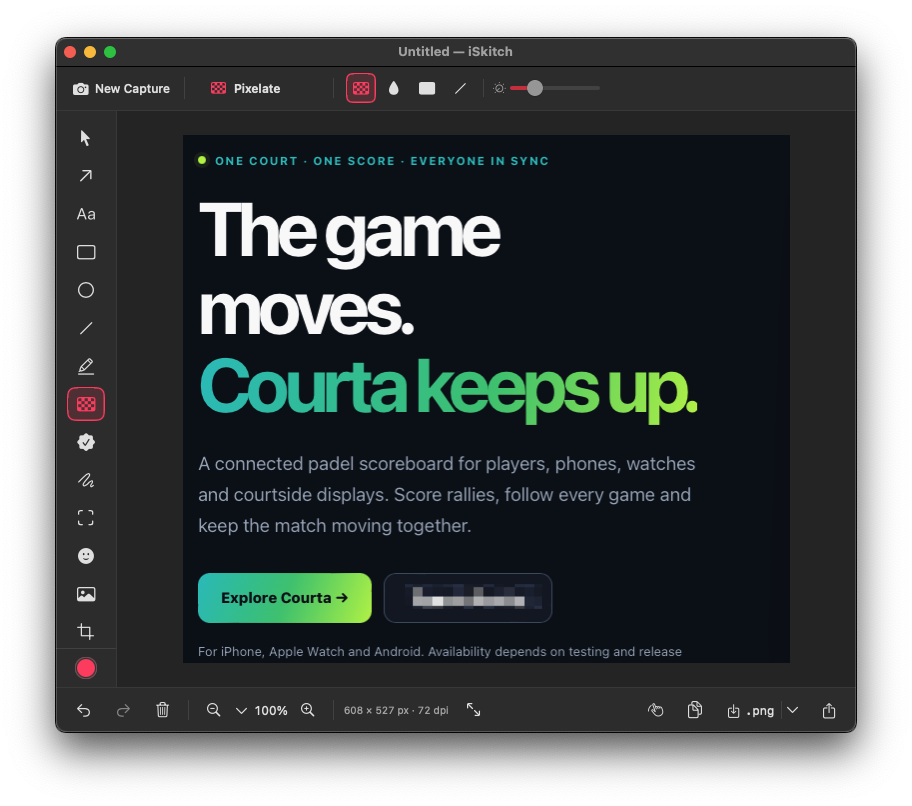
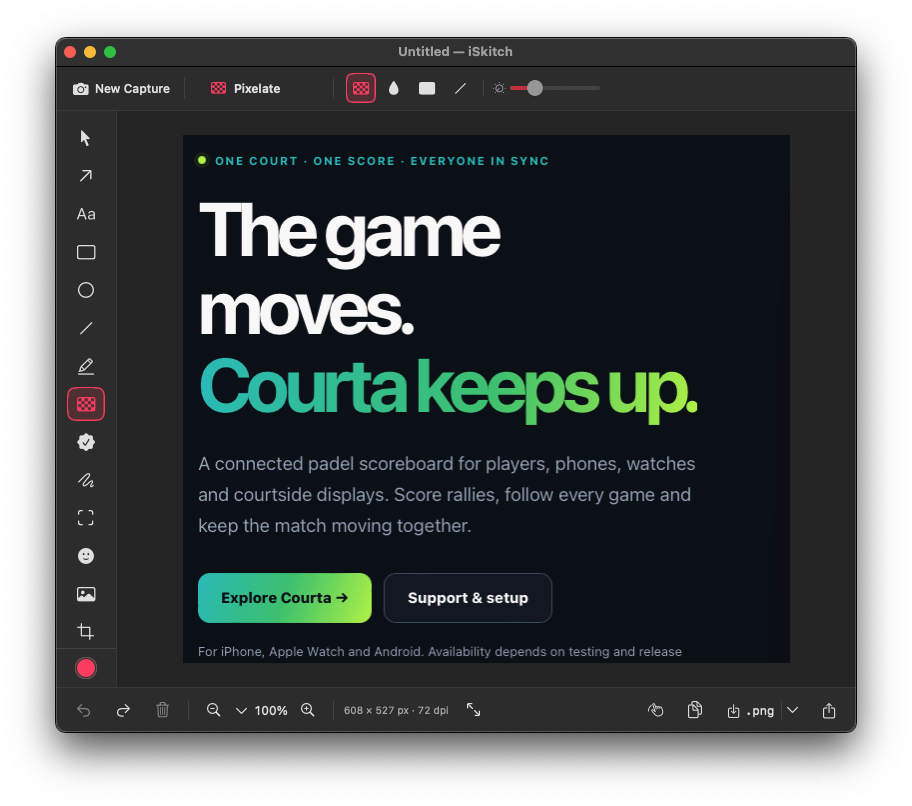
iSkitch includes tools for blurring, pixelating and completely covering areas of an image.
Recent updates have improved the pixelation tool, although the developer still recommends using solid blocks when hiding particularly sensitive information.
Just as importantly, iSkitch doesn't require an account, doesn't collect analytics and, according to the developer, doesn't make network requests.
Everything happens locally on the Mac.
For an application that regularly handles screenshots, that's a welcome approach.
One Developer, One Purchase
One thing I particularly appreciate about independent Mac applications is being able to speak directly to the person developing them.
David has been happy to explain the thinking behind iSkitch, share its development history and discuss improvements suggested by users.
It's also refreshing to see a straightforward pricing model.
At £9.99 on the UK Mac App Store, iSkitch is a one-time purchase. No monthly subscription, no account and no complicated pricing tiers.
It's available in 18 languages, with updates included in the purchase.
Is There Still Room for a Skitch Alternative?
Apple's built-in screenshot and Markup tools are already perfectly capable, particularly for occasional use.
But iSkitch is targeting a slightly different audience: people who take screenshots regularly and want a quick, consistent workflow for capturing, editing and sharing them.
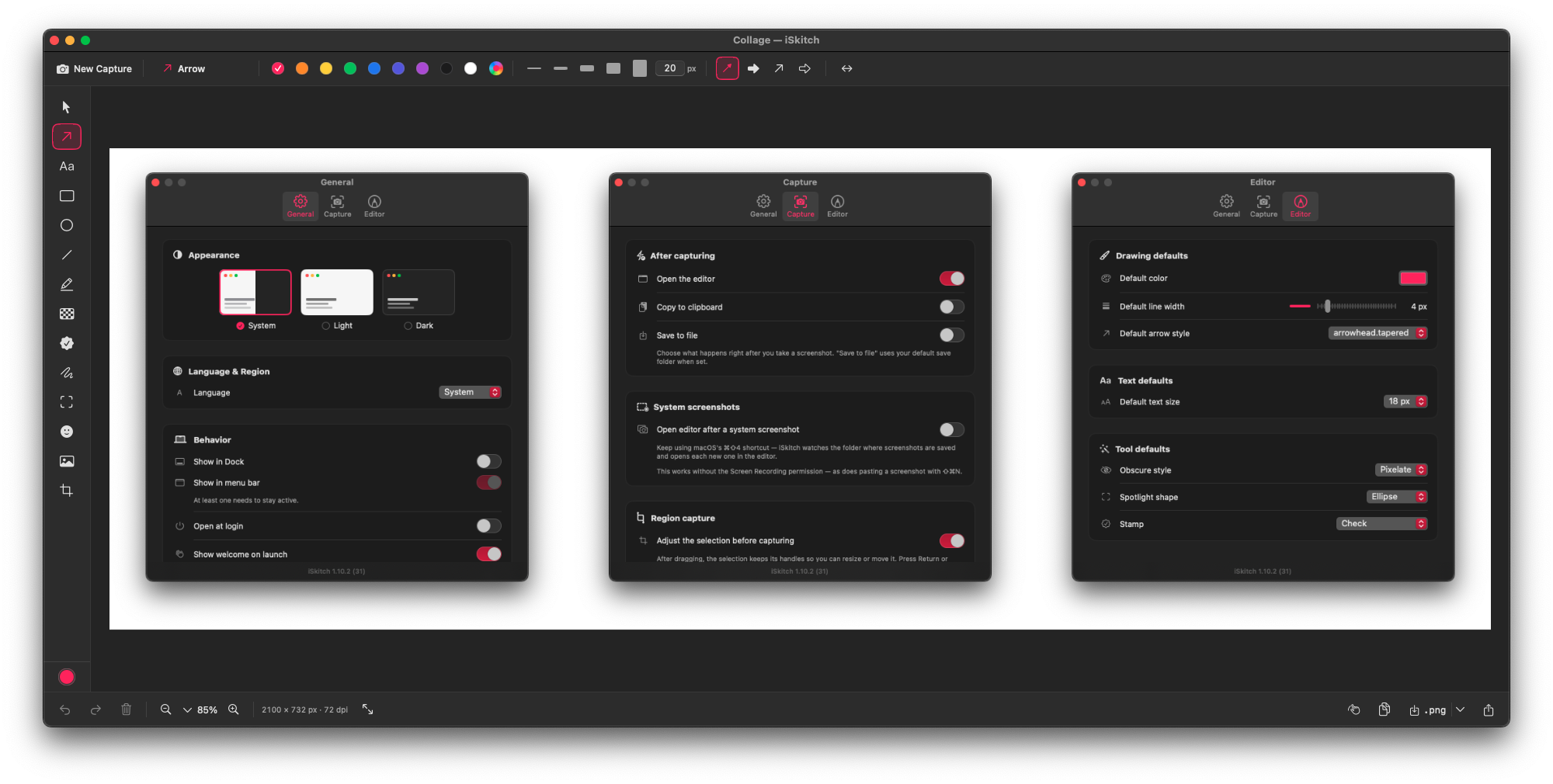
The combination of menu bar access, keyboard shortcuts, annotation tools and native sharing certainly makes for an interesting proposition. One unexpectedly useful touch is iSkitch’s collage feature, which makes it easy to combine multiple screenshots into a single clean layout ideal for tutorials, comparisons and blog posts 😉 work.
And with continued development driven by feedback from users, iSkitch looks like more than simply an attempt to recreate an old favourite.
It's an independent Mac application trying to bring a familiar idea up to date.
For anyone who misses the original Skitch, iSkitch is certainly worth a closer look.
Find out more: https://iskitch.com/
What's new: https://iskitch.com/changelog/